Best Pantry Management App: A Criteria-First Framework for Choosing What Actually Works
19 June 2026 · Updated 11 August 2026
Find the best pantry management app using our criteria-first framework. Learn what actually works to reduce food waste and track inventory effectively.
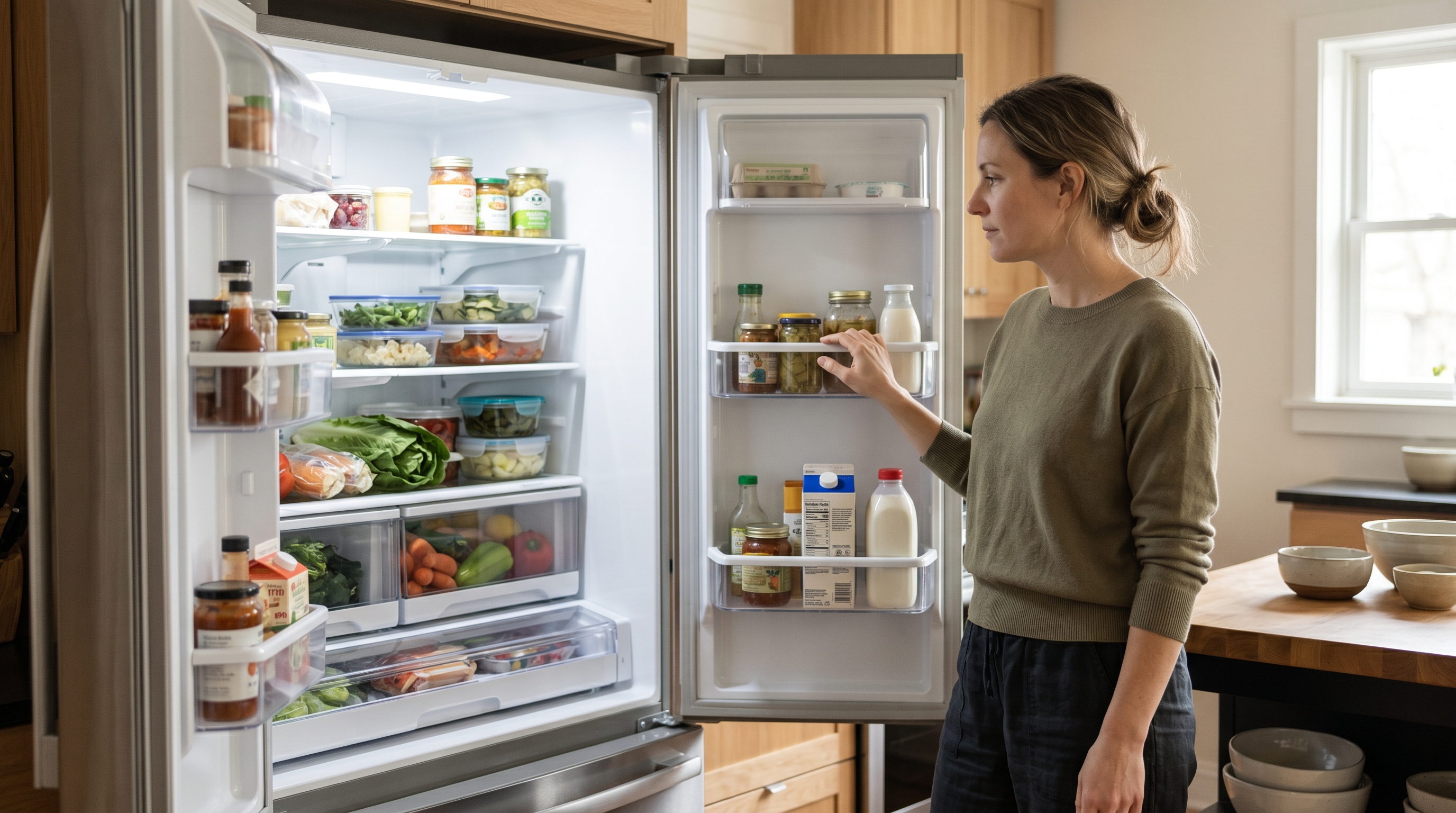
According to ReFED, the average U.S. household wastes roughly $1,500 worth of food per year, and the primary driver is not carelessness but invisibility. People lose track of what they already own. A half-used jar of tahini gets buried behind the canned tomatoes.
Table of Contents
- What actually makes a pantry management app worth using?
- Where most pantry apps get it wrong
- Apps that combine pantry tracking with recipe suggestions: a focused comparison
- How AI ingredient detection changes the pantry management problem
Key Takeaways
| Point | Details |
|---|---|
| Manual entry is the silent killer | Typing every item creates friction most households abandon within days. |
| Recipe integration is the real differentiator | Tracking ingredients without suggesting meals leaves decision fatigue unsolved. |
| Photo-based detection removes the biggest barrier | Roughly half of pantry app users abandon manual-entry tools within weeks. |
| Privacy deserves scrutiny | Free tools often monetize the dietary and ingredient data you enter. |
| One subscription should cover the whole household | Per-person pricing undermines the shared-kitchen use case. |
What actually makes a pantry management app worth using?
A pantry app earns its place on your phone when it reduces the friction of knowing what you have more than it creates friction to maintain. To evaluate any option clearly, apply the Pantry Utility Framework, which has three criteria.
Input ease. How hard is it to add items? Manual typing kills adoption fastest. Barcode scanning is better but still requires you to stand at the counter with every grocery bag. Photo-based analysis, where you snap a picture and let AI identify what it sees, removes the most effort. One exception: if your pantry is mostly bulk goods without packaging, barcode scanning becomes nearly useless regardless of how polished the app feels.
Retrieval speed. Can you check what you have in under ten seconds? If finding out whether you still have smoked paprika takes longer than opening the cupboard, the app has already lost. The best tools surface your inventory passively, folding it into suggestions rather than making you search.
Cooking connection. Does the app bridge inventory to meal decisions? A standalone list is just a digital sticky note. The real value appears when your pantry data feeds directly into what you cook tonight.
Where most pantry apps get it wrong
The most common mistake is assuming the best pantry management app is the one with the most features. The real barrier is not capability. It is the daily friction of keeping any inventory accurate.
Many popular tools offer barcode scanning and expiration tracking, but they require consistent manual upkeep. You scan groceries on Saturday, forget by Tuesday, and by Thursday the app's picture of your kitchen is fiction. This is not a quality problem. It is a design philosophy problem.
Most pantry tools are built for planners: people who shop to a list and maintain inventory as a habit. Reactive cooks, the ones who open the fridge at 6pm and figure it out, need something fundamentally different. One exception: a household with a single dedicated cook who enjoys logging groceries can sustain a manual tool far longer than a shared kitchen where responsibility is split.
| Habit type | What the app must do | Where most tools fail |
|---|---|---|
| Planner | Track inventory, flag expiring items, generate shopping lists | Works well if the user maintains the data |
| Reactive cook | See what is available right now, suggest what to make | Requires real-time input, not catalogued history |
Apps that combine pantry tracking with recipe suggestions: a focused comparison
Most pantry apps fall into three categories, and knowing which fits your household matters more than any star rating.
Inventory-only trackers are digital checklists. You manually add items, set expiration dates, and get reminders. They work well for planners who shop from lists. They have no cooking connection, so you still figure out dinner on your own.
Pantry-plus-recipe apps add a recipe layer on top of manual inventory, letting you browse recipes filtered by what you have logged. That is genuinely better, but the system only works when you keep the inventory current. Most users stop updating within a few weeks. Households with a single dedicated cook who enjoys the logging ritual can get real value here.
AI-powered fridge-and-pantry tools skip manual entry entirely. A tool in this category uses AI to analyze a photo of your fridge, identify what is actually there, and generate recipe suggestions based on those ingredients plus a running pantry of staples it maintains over time. No typing, no barcode scanning. The tradeoff: if your fridge is cluttered or poorly lit, photo analysis will miss items. If your household stores most ingredients in opaque containers or a chest freezer, the staples memory becomes the more reliable layer.
Free tools in any category often fund their service through user data, meaning the ingredient lists and dietary details you enter may be used to train models or serve advertising. Paid tools with clear privacy policies tend to handle your kitchen data more carefully.
How AI ingredient detection changes the pantry management problem
AI ingredient detection eliminates the biggest failure point in pantry management: the requirement that you manually keep your inventory accurate. You photograph your fridge, the AI identifies what is there, and recipe suggestions follow based on what it sees plus the pantry staples it already knows about.
The pantry feature works quietly. As you cook over time, the system builds a running list of staples your household keeps on hand: olive oil, soy sauce, smoked paprika. It flags gaps without requiring you to catalog everything. Based on FridgeAI's experience, households that cook four or more times per week see the staples list reach useful accuracy within two weeks of regular use.
One exception: if your household buys in bulk and stores ingredients across multiple locations, a single fridge photo will not capture everything, and the pantry memory becomes more important than the photo itself.
Privacy matters here. Fridge photos are processed by AI to identify ingredients and then discarded. The images are not stored, sold, or reused, which is a meaningful distinction from free tools that retain your data indefinitely.
For households wanting a broader approach to knowing what they have and what to cook next, our kitchen inventory management playbook covers the full diagnostic process.
Summary
The Pantry Utility Framework gives you three questions for any app: how easy is input, how fast is retrieval, and does it connect to cooking? Planning households benefit from manual inventory tools. Reactive households need something that closes the gap between "what do I have" and "what should I cook" in seconds. FridgeAI is built for that second moment. The 10-day free trial requires no credit card, so you can test it before the next fridge-stare ritual begins.
For related reading on this site, see Tips to Reduce Food Waste at Home: A Habit-First Playbook for Cooking What You Already Have.
Frequently Asked Questions
What is the best app for pantry management?
The best pantry management app connects what you have to what you cook, rather than simply listing your inventory. A standalone checklist leaves the harder half, deciding what to make tonight, entirely on you. Look for tools that use your pantry data to generate recipe suggestions, remember your household's dietary rules, and improve over time. Households that combine photo-based detection with a staples memory see the strongest long-term retention because the system stays accurate without deliberate upkeep.
Is there an app that takes your pantry and gives meal ideas?
Yes, several apps bridge pantry tracking and meal suggestions, though they vary in how much manual work they require. Some ask you to type every ingredient before any suggestion appears. Photo-based tools take a different approach: you photograph your fridge, the AI identifies what is there, cross-references your saved pantry staples, and returns recipe suggestions. No typing, no barcode scanning. The tradeoff is that photo analysis works best with a reasonably organized, well-lit fridge. If your most important ingredients live in a freezer or separate cabinet, supplement the photo with a manually maintained staples list.
How do I keep track of what's in my pantry without it becoming a chore?
Automate the tracking instead of relying on manual entry. Manual pantry lists fail because updating them requires more discipline than most households sustain past the first week. Drop-off happens fastest in shared kitchens where no single person feels responsible for keeping the list current. For daily cooking households, photo-based tools that build your pantry passively as you cook remove the friction that kills the habit. If you cook infrequently and buy few items, a simple note app works fine.
What is the 3-3-3 rule for groceries?
The 3-3-3 rule suggests buying three fresh proteins, three vegetables, and three starches or grains as a baseline shopping framework. It is a simplification tool, not a nutrition plan. It works best for solo cooks or couples without complex dietary needs. Larger households with allergies or multiple cooks benefit more from an adaptive system that remembers constraints rather than a fixed numerical formula. If your household follows a strict meal prep routine and shops once per week, the 3-3-3 structure can reduce decision fatigue at the store without requiring any app at all.
Are free pantry management apps worth using?
Free pantry apps are worth trying for basic inventory lists, but they rarely offer learning or personalization. Free tools often fund their service through user data, meaning the ingredient lists and dietary details you enter may be used to train models or serve advertising. Users who switch from free tools to paid ones most often cite privacy concerns and the absence of adaptive learning as the deciding factors. Check whether photos are stored or discarded after analysis, and whether your full data history is deleted when you cancel.