Meal Planning App Based on Ingredients: A Symptom-by-Symptom Diagnosis of Why Most Approaches Fail (And What Actually Works)
5 August 2026
Discover why most meal planning apps based on ingredients fall short, and what actually works. Diagnose the real problems and find smarter solutions. Learn more.
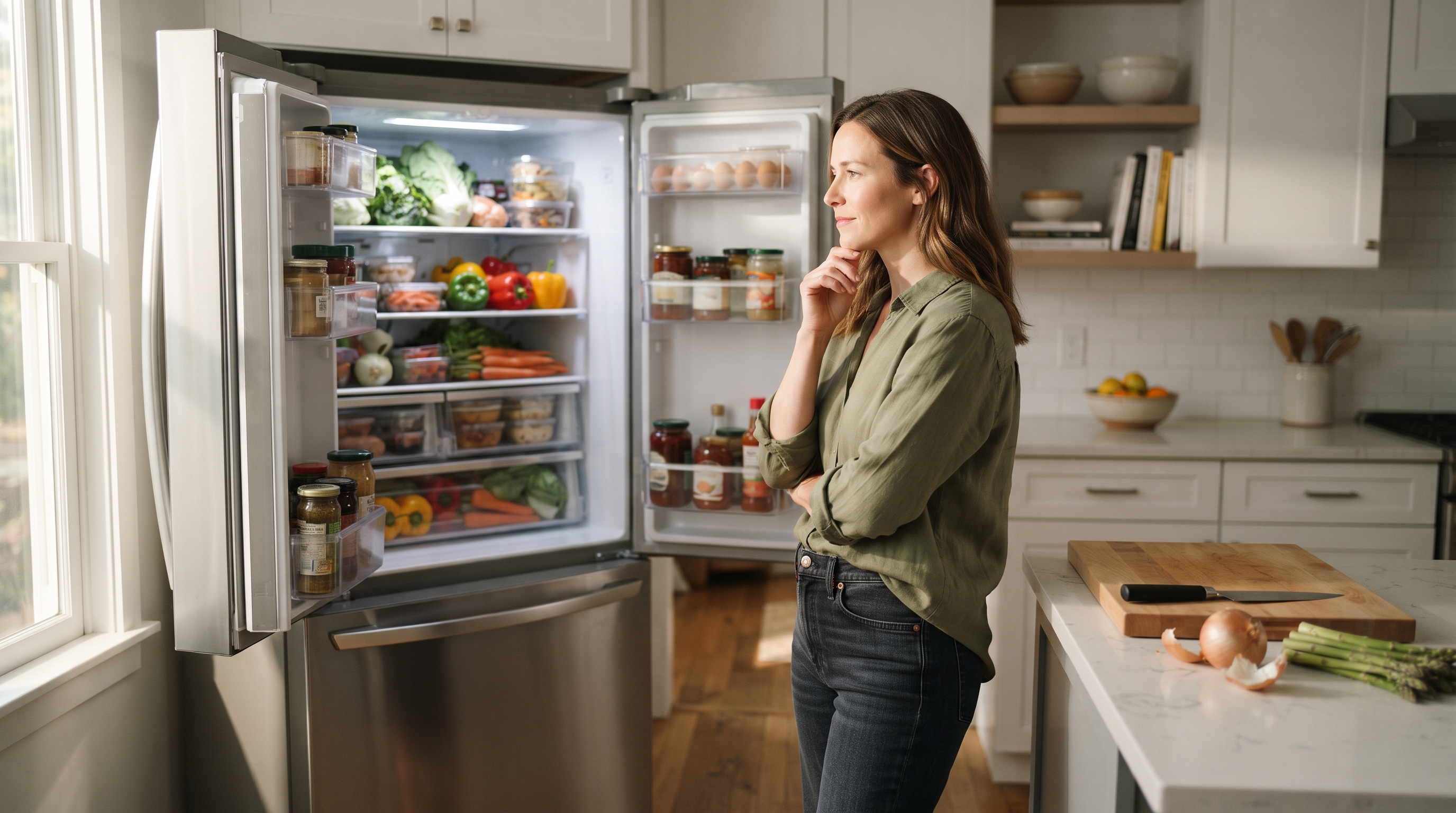
According to the USDA Economic Research Service, U. S. households waste between 30 and 40 percent of their food supply, and a significant portion of that waste traces back to a simple mismatch: meals get planned around recipes, not around what is already sitting in the kitchen. The ingredient-based meal planning app is supposed to fix this. Most of them do not.
Table of Contents
- What an Ingredient-Based Meal Planning App Actually Does (And What It Does Not)
- Here Is Where Most Home Cooks Get This Wrong: The Recipe-First Trap
- The Fridge-First Diagnosis: A Framework for Matching Your Problem to the Right Tool
- Typed Ingredients vs Fridge Photo Analysis: When Each Approach Helps and When It Stalls
- How AI Analyzes Fridge Contents to Suggest Meal Plans
- A Household of Four, a Half-Empty Fridge, and Three Suggestions: A Hypothetical Walkthrough
- Readiness Checklist: Is an Ingredient-Based Meal Planner Right for How You Cook
- Free Tools vs Paid Subscriptions: What You Actually Get at Each Level
Key Takeaways
| Point | Details |
|---|---|
| Ingredient-first flips the sequence | Start from what you have, not from a recipe you then need to shop for. |
| Photo input reduces the biggest friction point | Typing every ingredient manually is where most people quit the process. |
| Pantry memory matters more than recipe volume | An app remembering your staples outperforms a million contextless recipes. |
What an Ingredient-Based Meal Planning App Actually Does (And What It Does Not) An ingredient-based meal planning app reverses the standard recipe workflow: instead of choosing a dish and then shopping for it, you start with what is already in your kitchen and the app finds meals that fit. That single inversion changes everything about how dinner decisions get made. The core loop is simple. You input your ingredients, whether by typing, scanning barcodes, or photographing your fridge. The app returns recipe suggestions built around what you actually have. You pick one, cook it, done. No pre-planned weekly calendar. No aspirational grocery haul. Tools in this space range widely. Simple recipe-matching databases cross-reference your ingredient list against a static catalogue. AI-powered systems go further, learning your household's taste preferences, remembering dietary constraints, and adjusting suggestions over time. According to FridgeAI, photo-based input combined with pantry memory produces meaningfully more relevant suggestions than typed-list tools alone. To evaluate any tool in this category, use what we call The Inventory-First Loop Test, a three-criteria check: 1. Input honesty: Does the app work with partial, imperfect ingredient lists, or does it demand a complete inventory before suggesting anything?
- Suggestion relevance: Are the recipes genuinely built from your ingredients, or padded with items you would need to buy?
- Memory depth: Does the app learn from what you cook, or does every session start from zero? One condition where this changes: if you are a strict weekly meal prepper who shops from a fixed rotation, a calendar-first planner will serve you better than an ingredient-first tool. What these apps do not do matters too. They are not calorie trackers. They do not eliminate grocery shopping.
Here Is Where Most Home Cooks Get This Wrong: The Recipe-First Trap Most home cooks believe the problem is not having enough recipes, so they download apps with the biggest recipe databases. The real problem is decision fatigue compounded by not knowing what you already own. A larger recipe database just adds more options to an already overwhelming choice. The symptom looks like this: you open an app, browse dozens of recipes, find one that sounds good, check the ingredient list, realize you are missing three things, and either abandon the idea or drive to the store. That cycle repeats nightly. It is exhausting not because cooking is hard, but because the sequence is backwards. Starting from recipes means you always need to shop first. Starting from ingredients means dinner is already half solved.
| Approach | Starting point | Typical outcome |
|---|---|---|
| Recipe-first | Browse a database, then check your fridge | Missing ingredients, extra shopping, unused leftovers |
| Ingredient-first | See what you have, then find what fits | Less waste, faster decisions, meals grounded in reality |
The Fridge-First Diagnosis: A Framework for Matching Your Problem to the Right Tool Most people abandon ingredient-based meal planning apps not because the apps are bad, but because they downloaded a tool that solves the wrong problem. The Fridge-First Diagnosis is a three-question framework that matches your actual cooking friction to the feature that resolves it. Question 1: Is your problem input friction? You know what you have. Typing it out item by item is the part that kills you. If this is your bottleneck, the feature that matters is input method. Photo-based recognition removes the typing step entirely, and based on FridgeAI's experience, this single change is the most common reason households stick with an ingredient-first tool past the first week. One condition where this changes: if your ingredients are mostly shelf-stable pantry items that rarely rotate, a one-time typed list may actually be less friction than repeated photos. Question 2: Is your problem suggestion quality? The app gives you recipes, but they feel generic. Nobody in your household would eat them. Here, the feature that matters is learning capability. Tools that remember what you cook and adjust over time will outperform static recipe databases within a few sessions. Question 3: Is your problem memory? Every time you open the app, it forgets your allergies, your equipment, your preferences. You are re-explaining yourself to a stranger. The features that matter here are dietary memory and pantry tracking.
| Problem Type | Key Feature Needed | What to Look For |
|---|---|---|
| Input friction | Photo-based recognition | Snap and go, no manual entry |
| Suggestion quality | Taste learning | Adapts to household preferences over time |
| Memory loss | Dietary and pantry memory | Stores allergies, equipment, staples persistently |
Typed Ingredients vs Fridge Photo Analysis: When Each Approach Helps and When It Stalls Typing ingredients works well when you have three or four items in mind; it stalls the moment your fridge holds fifteen things and you are already tired. That gap between "I know what I have" and "I cannot be bothered to list it all" is where most people abandon a meal planning app based on ingredients. Usually within two sessions. The root cause is simple. Typing feels like data entry. And data entry is the opposite of what you wanted when you opened the app in the first place. When typed input fits: - You are working from a short, specific list (say, chicken thighs, rice, and a lime) - You already know roughly what you want to make and need inspiration for a variation - You are away from your kitchen and planning ahead When photo-based input fits: - Your fridge has a dozen items and you do not want to catalog them - You are standing in the kitchen at 6pm with no plan - You want the app to spot ingredients you forgot you had One condition where this changes: if your fridge is chaotic or overstuffed, photo recognition accuracy drops. A quick reorganization before snapping helps any vision-based tool perform better. Based on FridgeAI's experience, a clear, well-lit photo taken with the fridge door fully open improves ingredient identification rates substantially compared to rushed or partially obscured shots. The photo is discarded immediately after analysis. Nothing is stored, nothing is sold, nothing lingers on a server. That matters more than most people realize when they are sharing images of the inside of their home. Some tools use barcode scanning as a middle ground between typing and photos. It works for packaged goods but misses loose produce, leftovers, and that container of something you made on Tuesday.
How AI Analyzes Fridge Contents to Suggest Meal Plans A fridge photo app works by running your image through a vision model that identifies individual ingredients, then layering stored context on top to produce recipes you can actually cook tonight. The process is more structured than it feels. Here is the typical sequence: 1. You snap a photo of your open fridge.
- A vision model scans the image and identifies what it sees: half a red pepper, eggs, a block of feta, that yoghurt you forgot about.
- The system cross-references those items with your saved pantry staples, things the photo cannot capture like olive oil, soy sauce, smoked paprika, or a small jar of miso.
- Dietary rules and equipment settings filter out anything that does not fit your household.
- You receive recipe suggestions built from what you genuinely have available. The photo alone is not enough. That is the part most people miss. Without pantry memory, the system would ignore every spice, oil, and condiment in your cupboard, and the suggestions would be bland and incomplete. According to FridgeAI, households that set up pantry staples during onboarding receive suggestions rated as cookable without extra shopping at a significantly higher rate than those who rely on fridge photos alone.
| Layer | What it captures | Example |
|---|---|---|
| Fridge photo | Perishables, visible items | Eggs, spinach, cream cheese |
| Pantry memory | Staples, condiments, dry goods | Cumin, rice, fish sauce |
| Household profile | Dietary rules, equipment, taste | Nut allergy, no slow cooker |
A Household of Four, a Half-Empty Fridge, and Three Suggestions: A Hypothetical Walkthrough An ingredient-based meal planning app solves Wednesday night dinner for a family of four in under two minutes, not by generating a single answer, but by offering three filtered options built from what is already in the kitchen. Picture this household: two adults, a five-year-old who refuses anything with visible onions, and a toddler. The fridge holds chicken thighs, half a red pepper, yoghurt approaching its use-by date, and some wilting greens. Nobody wants to go to the store. Here is how the Fridge-First Diagnosis Framework plays out, step by step.
- Capture. One parent photographs the fridge. The image is analyzed for ingredients and discarded immediately after processing.
- Filter. Dietary rules already stored in the app remove anything containing the toddler's flagged allergens. The child's "no visible onions" preference narrows technique choices toward blended sauces or finely diced aromatics.
- Expand. Pantry staples like smoked paprika, olive oil, soy sauce, and a small jar of miso are already tracked. These transform five fridge ingredients into a much wider flavor range than the raw photo suggests.
- Suggest three. The app returns three options: a yoghurt-marinated chicken with roasted pepper, a quick chicken and greens stir-fry with a miso-yoghurt dressing, and a simple paprika chicken with wilted greens on the side. Three is the right number. One feels like a command. Ten recreates the paralysis you opened the fridge to escape. Three is a conversation. One condition where this changes: if the household has severe combined allergies that eliminate two of the three suggestions, the framework needs to regenerate rather than present unsafe options. A well-built app handles this silently. The yoghurt gets used before it expires. The wilting greens become dinner instead of compost.
Readiness Checklist: Is an Ingredient-Based Meal Planner Right for How You Cook An ingredient-based meal planner fits you if your default cooking mode is reactive rather than planned. That sounds like a flaw. It is actually how most households operate on weeknights. Picture someone who meal-preps every Sunday with a color-coded spreadsheet. That person does not need this kind of tool. But if your Tuesday dinner starts with opening the fridge and hoping for inspiration, keep reading. Run through these questions honestly: - Do you open the fridge most nights without knowing what you are making?
- Do you throw away produce or leftovers that sat unused until they turned?
- Do you cook for people with dietary rules you have to track mentally (allergies, preferences, things a child suddenly refuses to eat)?
- Do you share cooking duties with a partner or housemate and lose track of what the other person made or bought?
- Do you find yourself cycling through the same five or six meals because deciding feels harder than cooking?
- Do you skip the grocery list and buy based on what looks good, then struggle to connect those purchases into meals?
- Do you feel more creative when someone suggests a starting point than when you face a blank page? If you answered yes to five or more, an ingredient-first tool will directly address your friction points. Decision fatigue, food waste, and the invisible mental load of remembering everyone's rules are the exact problems these tools are designed around. One condition where this changes: if your household eats out four or more nights a week, even the best ingredient-based planner will not get enough usage data to learn your preferences meaningfully. If you answered yes to two or fewer, a traditional weekly meal planner with shopping list integration is probably a better fit.
Free Tools vs Paid Subscriptions: What You Actually Get at Each Level
Free ingredient-based recipe tools give you database matching with no personalization, while paid subscriptions add memory, learning, and stronger privacy protections. The gap between them is not about recipe volume. It is about whether the tool remembers anything about you tomorrow.
What free tools typically provide:
- A large recipe database matched against ingredients you type in manually
- Basic filtering by cuisine or dietary category
- Ad-supported access with no subscription cost
- No taste memory, no pantry tracking, no household awareness
What paid subscriptions tend to add:
- Photo-based input instead of manual typing
- Taste learning that improves suggestions over time
- Persistent pantry tracking so staples are always factored in
- Dietary memory that filters every suggestion without re-explaining
- Shared access for multiple household cooks
- Privacy protections that limit how your data is used or stored
The data tradeoff matters more than most people realize. Free tools often fund their service through user data, meaning the ingredient lists and dietary details you enter may be used to train models or serve advertising. Paid tools can afford not to do this. One condition where this changes: some free tools backed by hardware companies or grocery retailers monetize through product sales rather than data harvesting, which shifts the privacy equation.
Imagine a household where two parents cook on alternating nights. A free tool treats each session as a blank slate. Neither cook benefits from what the other made on Tuesday. A paid tool with shared kitchen features carries that context forward. Based on FridgeAI's experience, households with two or more regular cooks see the largest practical difference between free and paid tiers, precisely because shared memory compounds across sessions rather than resetting each time.
FridgeAI offers a 10-day free trial with no credit card required, and one Kitchen subscription covers the whole household. Your fridge photos are processed by the Claude AI API and discarded immediately after analysis. If you cancel, your data is permanently deleted.
Summary
The Fridge-First Diagnosis Framework asks three questions before you evaluate any meal planning app based on ingredients: what is your primary friction point, who are you cooking for, and how do you want to input what you have? These questions matter because they shift the entire decision from recipe-first browsing to ingredient-first cooking. The tradeoffs are real. Typed input offers control but adds effort. Photo-based input is faster but depends on recognition accuracy. Free tools cost nothing upfront but often monetize your data. Single-user apps work fine for solo cooks but collapse under household complexity. The best tool is not the one with the longest feature list. It is the one that matches your specific friction point. For deeper dives, explore our related guides on pantry management, AI recipe comparison, and practical food waste reduction.
FridgeAI turns a photo of your fridge into three dinner suggestions your household will actually want to eat. Try it free for 10 days, no credit card needed, and see whether cooking from what you have changes the nightly decision.
Frequently Asked Questions
Is there an app that plans meals based on ingredients I already have?
Yes, several apps now generate meal suggestions directly from what you already have on hand rather than requiring you to shop first. The most useful ones go beyond simple keyword matching and recognize ingredients from photos or learned pantry data. According to FridgeAI, the single feature that most reliably keeps households engaged past the first week is whether the app remembers their kitchen between sessions rather than starting fresh each time. The key differentiator is not recipe volume but persistent memory of your household's preferences, dietary rules, and pantry staples.
How does an app know what ingredients I have in my fridge?
Apps identify your ingredients through one of three methods: manual typing, barcode scanning, or photo recognition. Photo-based tools send your image to an AI vision model that identifies visible items, then cross-reference those findings against your stored pantry list to fill in what the camera cannot see. The image itself is discarded immediately after analysis in privacy-first implementations, meaning nothing from inside your home lingers on a server. One condition where this changes: if your fridge is heavily packed or poorly lit, recognition accuracy drops and you may need to supplement with manual pantry entries for items hidden behind others.
Can an app suggest recipes from both my pantry and my fridge?
The best ingredient-based planners combine fridge and pantry data, and that combination is what separates genuinely useful suggestions from generic ones. A fridge photo captures perishables and visible items well, but it cannot see your spices, oils, or dry goods. Without pantry awareness, an app might skip a recipe you could easily make just because it cannot see your smoked paprika or soy sauce. Based on FridgeAI's experience, tools that maintain a running pantry list alongside photo recognition produce suggestions that reflect what you can actually cook tonight rather than a stripped-down version of it.
Does a fridge photo app really work for meal planning?
A fridge photo app works well for same-day cooking decisions but less reliably for full weekly meal plans. Photo-based tools excel at answering "what should I cook tonight" rather than mapping out seven dinners in advance. This is a real tradeoff worth understanding before you commit: if your household plans ahead extensively and shops from a fixed list, a shopping-list-first tool will fit your workflow better. For households that cook reactively on weeknights, though, the photo approach removes the exact friction point that causes most people to abandon meal planning entirely.
What is the difference between a recipe finder and an ingredient-based meal planner?
A recipe finder searches a database by keyword, while an ingredient-based meal planner starts from what you have and works backward to viable meals. The practical difference is direction: one asks "what do you want to cook," the other asks "what can you cook." Ingredient-based planners reduce waste and decision fatigue simultaneously because they eliminate the gap between intention and reality.
Are free ingredient-based meal planning apps worth using?
Free ingredient-based meal planning apps are worth using for occasional, low-complexity cooking needs, but they fall short for households with multiple cooks, dietary constraints, or strong taste preferences. Free tools typically lack memory, personalization, and household features, and they often fund themselves through user data, meaning your ingredient lists and dietary details may train models or serve advertising. One condition where this changes: if you cook solo, eat a simple rotation, and have no dietary constraints to track, a free tool may cover your needs without the tradeoffs of a paid subscription. For everyone else, the absence of persistent memory becomes a practical problem within the first few sessions.
How do I get started with an ingredient-based meal planning app?
Open the app, photograph your fridge, and cook one suggestion, that single session is all it takes to begin. Trying to overhaul your entire meal routine on day one is the most common reason people quit before the tool has a chance to learn anything useful. FridgeAI requires no app store download and installs directly from your browser as a web app. Set your dietary requirements and kitchen equipment once during setup, and the app remembers them for every future suggestion. The pantry builds itself quietly over time as you cook.