Menu Ideas App Checklist: What to Look For, What to Skip, and When It Actually Helps
9 July 2026 · Updated 20 July 2026
Picking a menu ideas app? Use this checklist to spot must-have features, red flags to skip, and signs it will actually save you time. Find the right fit now.
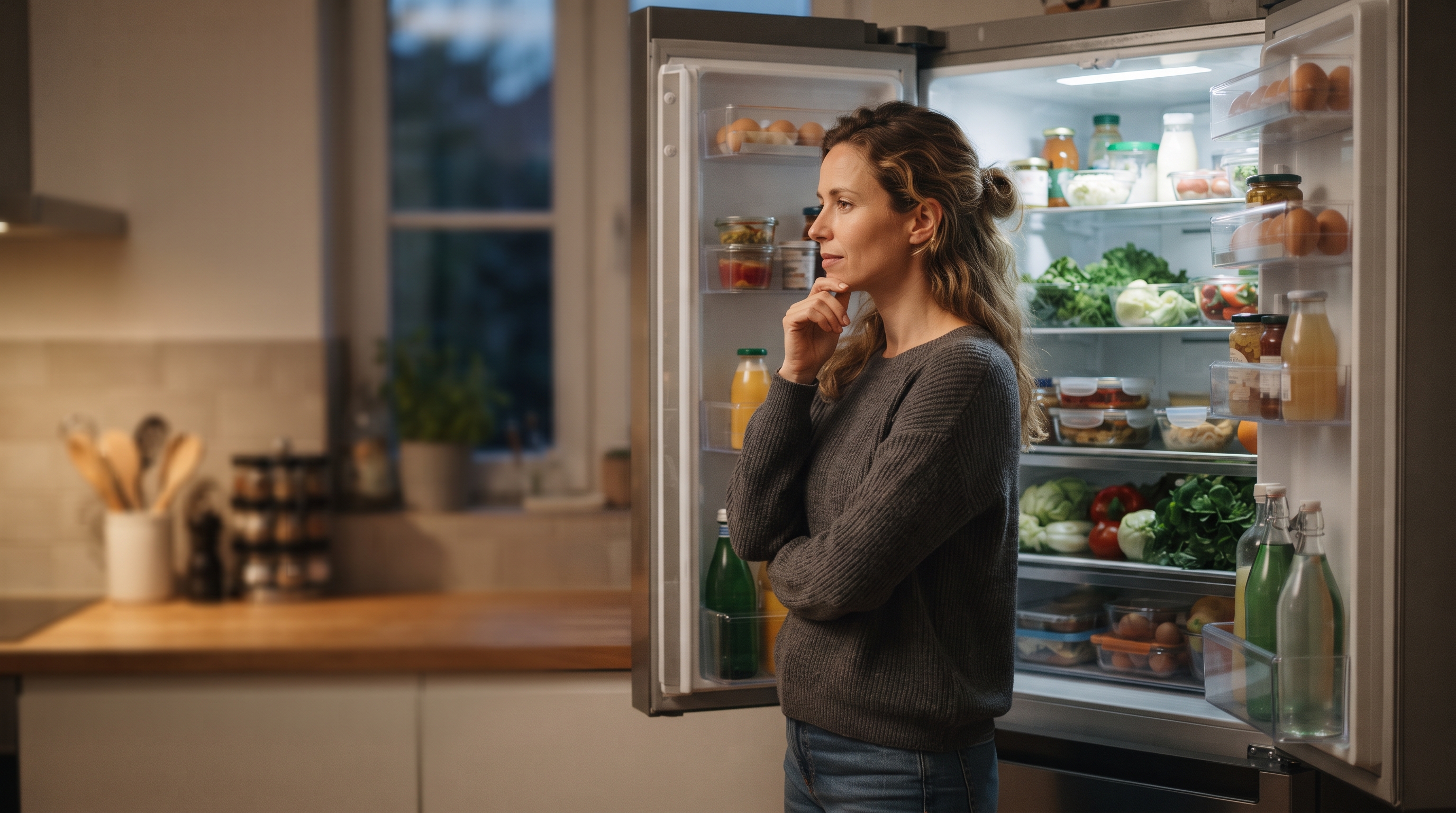
Decision quality drops measurably after a full day of repeated choices, according to ego depletion research first documented by Baumeister et al. (1998) and replicated across multiple studies since. That decline hits hardest right around dinner, which is exactly when most households are staring into an open fridge hoping for inspiration.
Table of Contents
- Here Is Where Most People Get This Wrong
- The Checklist: Features That Matter and When to Skip Them
- How FridgeAI Fits Into This Checklist
Key Takeaways
| Point | Details |
|---|---|
| Decision fatigue is the real problem | The nightly question is a fatigue issue, not a recipe shortage. |
| Input method shapes usefulness | Photo or inventory input reduces friction more than planning ahead. |
| Three options beat thirty | Too many choices recreate the same fatigue you opened the app to escape. |
| Memory matters more than variety | Apps that remember dietary rules and preferences save more time than large recipe databases. |
| Privacy model deserves scrutiny | Free tools often monetize your data; paid tools should delete what they do not need. |
| Skip apps that require a shopping trip first | If the app cannot work with tonight's fridge, it solves tomorrow's problem, not today's. |
What a Menu Ideas App Actually Does
A recipe and menu ideas application takes some form of input from you and returns recipe suggestions matched to that input. The value is not in the size of the recipe database. It is in removing the decision itself. Three input models dominate the category, each optimizing for a different moment in your week:
- Typed ingredients. You manually enter what you have on hand. This works well when you already know your fridge contents and want speed. If you routinely forget pantry staples or undercount what is available, typed input leads to suggestions that miss obvious possibilities.
- Photo-based input. You snap a picture of your fridge, and AI identifies ingredients visually. This is optimized for the "I have no idea what is in here" moment. FridgeAI uses this model, processing fridge photos through the Claude API to identify ingredients and then suggesting three recipes based on what it actually sees. The photo is discarded immediately after analysis.
- Plan-ahead and shopping list. You build a weekly menu first, and the app generates a shopping list from it. This suits households that batch-cook or shop on a fixed schedule. It is less useful when you are standing in the kitchen at 6 PM with no plan.
Understanding which model fits your household is exactly where most people go wrong.
Here Is Where Most People Get This Wrong
The most common mistake is treating a menu ideas app as a tool that only pays off when you plan meals in advance. The tools that reduce the most friction are the ones that work with what you already have, not what you intended to buy.
Plan-ahead apps suit a specific household type: you shop on a schedule, stick to the list, and execute the week's meals in order. That works, but it is not most households.
Consider a household where one person shops on Sunday but the other cooks on Wednesday with whatever is left. By midweek, the broccoli is wilting, the chicken got used Monday, and the planned stir-fry is missing half its ingredients. A plan-ahead app fails that scenario entirely. The best app to get dinner menu suggestions in that kitchen starts from the fridge, not a calendar.
One condition where this changes: if your household genuinely shops and cooks on the same day, a weekly planning app with a built-in grocery list may reduce more friction than a reactive tool.
| Household style | Better fit | Why |
|---|---|---|
| Shops Sunday, cooks Sunday through Wednesday | Weekly planning app | Ingredients match the plan |
| Shops irregularly, cooks from what is on hand | Fridge-aware or ingredient-first app | Starts from reality, not intention |
| Two cooks, different schedules | Shared kitchen with memory | Both need context about what is left |
The Checklist: Features That Matter and When to Skip Them
This checklist covers when each feature in a menu ideas app genuinely reduces friction and when it adds friction instead.
Photo-based ingredient input
- Use when you cook reactively, opening the fridge at 6 PM with no plan.
- Skip when you always shop to a weekly list. Typed input or barcode scanning will serve you better.
Dietary profile memory
- Use when your household has consistent rules: a nut allergy, a vegetarian teenager, a partner who avoids dairy.
- Skip if you cook for different guests each night. Stored profiles become clutter fast.
Conversational tweaking
- Use when you want to adapt a suggestion mid-flow: less spicy, swap chicken for tofu.
- Skip if you prefer fixed, tested recipes and find open-ended options stressful rather than freeing.
Pantry tracking
- Use when you cook from staples regularly and want a mobile app for daily menu inspiration that accounts for what you already own.
- Skip if your pantry changes constantly or you rarely keep staples beyond salt and oil.
Shared kitchen or co-chef access
- Use when two people cook from the same household and need shared history.
- Skip if you cook solo. A shared feature with one user is just an empty room.
How FridgeAI Fits Into This Checklist
FridgeAI is built specifically for the reactive-cooking scenario, where you open the fridge first and plan second. Here is how it maps to the checklist above.
- Photo-based input. You snap your fridge, and the Claude API identifies what is actually in there. No typing, no barcode scanning, no pretending you remember what you bought on Tuesday.
- Dietary memory. You set your household's dietary requirements once during setup. Every suggestion filters through them automatically, with no re-explaining each evening.
- Conversational tweaking. Each recipe can be adjusted mid-flow. Less spicy, swap the protein, make it vegetarian. The recipe responds like a conversation, not a static page.
- Pantry tracking. Your staples build up over time as you cook. FridgeAI factors in both what it sees in the photo and what it knows you keep on hand.
- Co-chef access. One Kitchen subscription covers your whole household. Invite a partner as a co-chef and share the same pantry, recipe history, and taste memory.
One condition where this changes: if your household plans meals a week ahead and shops from a structured list, FridgeAI's fridge-first approach may feel like a mismatch. It is designed for the nightly "what now" moment, not the Sunday planning session.
There is a 10-day free trial with no credit card required.
Summary
The right menu ideas app depends on how your household actually cooks. If you cook reactively from whatever is in the fridge, you need ingredient-first recognition, dietary memory, and the ability to tweak a suggestion without starting over. If you plan meals days ahead, shopping-list integration matters more. The checklist that actually helps is short: does it remember your constraints, know your pantry, and reduce the decisions you repeat every night? If the reactive scenario sounds familiar, FridgeAI offers a free trial worth testing.
Start with one real meal before evaluating anything else. Feature pages are not reliable. Your Tuesday night with tired kids and half a bag of spinach is. FridgeAI's 10-day free trial requires no credit card and includes fridge photo scanning, conversational recipe tweaking, and shared kitchen access.
Frequently Asked Questions
What should I know before choosing a menu ideas app?
The single most important factor is whether the app works with ingredients you already have. A menu ideas application that ignores your actual fridge contents becomes another source of decision fatigue rather than a solution. Check whether it remembers your household's dietary rules and whether it learns from what you cook over time. Those two features separate useful tools from digital recipe books. One condition where this changes: if your household cooks from a fixed weekly plan, database depth and shopping-list integration will matter more than fridge-aware recognition.
How do I get started with a menu ideas app without wasting time on the wrong one?
Start by cooking one real meal with it before evaluating anything else. Feature pages are not reliable indicators of usefulness. Look for a free trial that requires no credit card so you can test under real conditions. FridgeAI offers a 10-day trial that includes fridge photo scanning, conversational recipe tweaking, and shared kitchen access.
What is the best approach to using a menu ideas app for a household with dietary restrictions?
Set every restriction during initial setup and never touch it again. The best approach is an app that filters silently, so a nut allergy or vegetarian preference never requires re-explaining. Households that re-enter dietary rules manually each session abandon the habit within two weeks, which means the restriction stops protecting the person it was meant to protect. One condition where this changes: temporary restrictions like an elimination diet need an app that lets you update rules without resetting your taste profile.
Are free menu ideas apps worth using?
Free apps are worth trying but carry a real tradeoff. They typically fund themselves through user data, meaning your ingredient lists and dietary details may train models or serve advertising purposes you never agreed to explicitly. Paid tools built around a privacy-first model discard fridge photos immediately after analysis and delete all stored data on cancellation. That difference is worth weighing before you store household information in any tool.
Can a menu ideas app work for two people cooking in the same household?
Yes, if the app supports shared access under one subscription. A co-chef feature lets two cooks share the same pantry, recipe history, and taste memory inside one account. Shared access reduces the friction of one cook undoing the other's pantry assumptions, a common source of repeated suggestions that no longer match what is available. One condition where this changes: if two cooks have fundamentally different dietary profiles and never eat together, separate accounts may reduce friction rather than add it.