Pantry Management App: A Sequential Playbook for Moving from Inventory Tracking to Actually Cooking What You Own
12 June 2026 · Updated 11 August 2026
Stop letting pantry items go to waste. Follow this step-by-step playbook to use a pantry management app to track inventory and cook what you own.
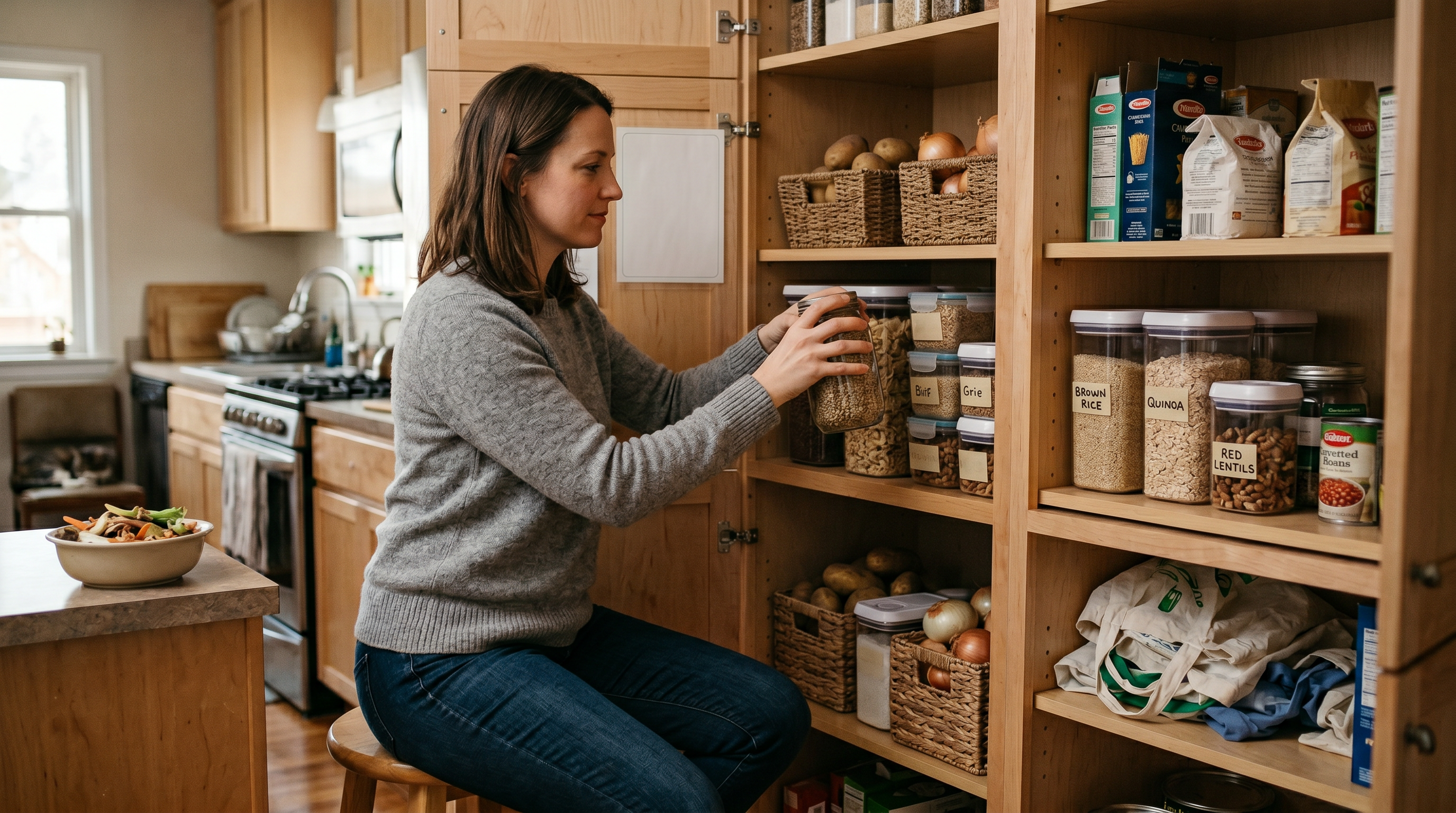
The USDA Economic Research Service estimates that U.S. households waste between 30 and 40 percent of their food supply, with a significant share of that loss traced to items forgotten in pantries and refrigerators. That is the outcome most pantry management apps claim to fix. Few actually do.
Table of Contents
- What a Pantry Management App Actually Does (and What It Doesn't)
- The Inventory-to-Action Loop: A Framework for Apps That Connect Tracking to Cooking
- Step One: Assess How Your Household Actually Manages Food Right Now
- Step Two: Compare Pantry App Approaches, Catalog-First vs. Cooking-First
- How AI Photo Analysis Changes What Pantry Tracking Can Do
- Pantry and Fridge Together: Why Splitting Them Breaks the System
- Step Three: Test Whether Recipe Suggestions Actually Use Your Inventory
- Data Privacy, Cost, and the Questions Most People Forget to Ask
Key Takeaways
| Point | Details |
|---|---|
| Tracking alone is not the goal | A pantry management app only reduces waste when inventory connects to recipe suggestions, not just shopping lists. |
| Catalog-first vs. cooking-first matters | Barcode scanning solves a different problem than apps suggesting what to cook from what you own. |
| AI photo analysis reduces friction | Photo-based recognition removes manual entry, the barrier that causes most app abandonment. |
What a Pantry Management App Actually Does (and What It Doesn't)
A pantry management app tracks the food a household already owns so that inventory is visible before shopping or cooking decisions are made, reducing the likelihood of duplicate purchases and forgotten ingredients. Apps like KitchenPal, Pantry Check, and My Pantry Tracker handle this well: you log shelf-stable staples, spices, canned goods, and dry ingredients, and the app maintains a digital list. Most offer expiration alerts and grocery list generation. Useful for households that lose track of what they own. But that is also where most of them stop.
The gap is easy to miss. You open the app, see that you have chickpeas, smoked paprika, and a can of coconut milk, and then close it because knowing what you own is not the same as knowing what to cook. A catalog is not a cooking decision. Pure catalog tools do solve a real problem for shoppers who frequently buy duplicates, and for that narrower goal they work well.
This is the problem the rest of this article addresses: how to evaluate whether a pantry management app actually changes your behavior in the kitchen or just gives you a tidier version of the mental list you were already carrying. To make that evaluation concrete, use the Catalog-to-Cook Ratio, a three-criteria check for any pantry app:
- Does it connect inventory to recipes? Not a separate recipe database, but suggestions built from what you actually have on hand right now.
- Does it learn from your cooking patterns? A static list stays static. A useful tool should adjust over time based on what you cook and skip.
- Does it reduce a decision, not just display data? If you still have to figure out dinner yourself, the app is a spreadsheet with better design.
One condition where this changes: if your only goal is reducing duplicate grocery purchases, a pure catalog app is genuinely sufficient.
The Inventory-to-Action Loop: A Framework for Apps That Connect Tracking to Cooking
The Inventory-to-Action Loop is a four-stage framework that reveals why most pantry management apps stall at cataloging and never progress to changing what a household actually cooks for dinner. The gap between knowing you have smoked paprika and using it tonight is where nearly every inventory tool quietly fails. A four-stage framework makes this gap visible.
- Capture , how ingredients enter the system. Typing, scanning barcodes, or photographing shelves. Speed matters because a method that takes ten minutes per grocery run gets abandoned within a week.
- Context , does the app understand what is expiring, what is a staple you always restock, and what just arrived fresh. Without context, your inventory is a flat list.
- Suggestion , does the app connect your inventory to actual recipes. This is the stage that separates tracking tools from cooking tools.
- Feedback , does the app learn from what you chose, what you skipped, and how you tweaked a dish. Without this, suggestions stay generic forever.
| Stage | What most apps do | What changes your cooking |
|---|---|---|
| Capture | Manual text entry or barcode scan | Photo-based recognition that reads a whole shelf at once |
| Context | Static list, no expiration awareness | Distinguishes staples from perishables, flags what needs using |
| Suggestion | Shopping list generation | Recipe matching based on what you actually have right now |
| Feedback | None | Learns household taste over time, adjusts future suggestions |
Most pantry inventory apps cover Stage 1 competently. Some reach Stage 2. Very few attempt Stage 3, and almost none close the loop at Stage 4. One condition where this changes: households that already cook from a fixed weekly rotation may find Stage 1 and Stage 2 coverage entirely sufficient, because their decision-making happens at the meal-planning stage rather than at the fridge.
Step One: Assess How Your Household Actually Manages Food Right Now
Most households track food through a combination of memory, guilt, and the occasional horrified discovery at the back of the fridge. That is not a system. Before you download any pantry management app, you need an honest picture of where you stand, because the right tool depends entirely on the problem you are solving.
Spend one week paying attention. Not changing anything, just noticing. Then answer these questions plainly:
- Do you buy duplicates because you forgot what you already had at home?
- Do you find expired items regularly during fridge or cupboard cleanouts?
- Do you plan meals before shopping, or do you improvise at the store?
- Do multiple people in your household shop independently without coordinating?
- When you open the fridge at 6 PM, do you know what you are making for dinner?
If you answered yes to three or more of those first four questions, you are dealing with an inventory visibility problem. A simple list app might help. But if that last question also got a no, your real issue is not tracking. It is the gap between knowing what you own and turning it into something you want to eat.
This distinction matters. A catalog tool that lists your canned goods alphabetically solves a different problem than a system that looks at your actual ingredients and suggests what to cook tonight. One condition where this changes: if you live alone and shop once a week with a fixed meal rotation, a basic checklist might genuinely be enough. For households with multiple cooks and conflicting schedules, the need runs deeper.
Step Two: Compare Pantry App Approaches, Catalog-First vs. Cooking-First
The best pantry management app is not the one with the most comprehensive inventory features. A detailed catalog you stop updating after two weeks is less useful than a simpler system that connects your ingredients to cooking decisions every day. The real value lives in the link between inventory and action.
Catalog-first apps prioritize thoroughness. You scan barcodes, type in quantities, sort by category, and export shopping lists. That works well if you maintain a spreadsheet for fun, and it genuinely reduces duplicate purchases for households that shop frequently. Cooking-first apps flip the priority: they start with what you have and immediately ask what you want to eat. A catalog-first app tells you exactly what is in your fridge. A cooking-first app tells you what to make with it.
One condition where this changes: if you manage a large household with multiple weekly shopping trips, the organizational depth of a catalog-first tool may reduce duplicate purchases more than a cooking-first approach would.
| Dimension | Catalog-First | Cooking-First |
|---|---|---|
| Input method | Barcode scanning, manual entry | Photo analysis, automatic recognition |
| Primary output | Organized inventory, shopping lists | Recipe suggestions matched to what you own |
| Pantry maintenance | You update it manually | Builds over time as you cook |
| Learning | Static | Adapts to household taste and preferences |
| Waste prevention | Expiration tracking | Uses ingredients before they expire via recipe matching |
Cooking-first tools, including those that use AI photo analysis to identify fridge contents, sit at the far right of that table. Their fridge photo analysis, powered by the Claude AI API, identifies ingredients visually rather than requiring manual input.
How AI Photo Analysis Changes What Pantry Tracking Can Do
Photo-based ingredient recognition eliminates the single biggest reason people abandon pantry apps: the tedium of typing every item by hand. Instead of cataloging each can of chickpeas or bunch of cilantro individually, you photograph your fridge and let the AI sort it out. The ingredients it identifies flow directly into recipe suggestions, shrinking the gap between "what do I have" and "what can I make" to seconds.
Some tools using the Claude AI API for photo analysis process the image, identify ingredients, and discard the photo immediately after. Nothing is stored. That matters if you care about privacy, and the data privacy section below explains why you should.
| Input Method | Speed | Effort per Item | Common Drop-off Point |
|---|---|---|---|
| Typed entry | Slow | High | Most users quit within a week |
| Barcode scanning | Moderate | One scan per item | Bulk groceries, loose produce |
| AI photo analysis | Fast | One photo per shelf | Items hidden behind others |
One condition where this changes: photo analysis works best for visible, recognizable items. A sealed opaque container or something buried behind the milk will likely be missed. Barcode scanning handles packaged goods more reliably in those cases, so a hybrid approach serves most households better than either method alone.
Imagine you have just come home with groceries. You unpack, arrange things on the shelves, and take two photos. Within a minute, the app knows you have eggs, leeks, feta, and that half-used jar of harissa from last week. It suggests three meals. You did not type a single word. That is the difference between a tracking tool you maintain and one that works alongside you.
Pantry and Fridge Together: Why Splitting Them Breaks the System
Tracking your pantry and fridge in separate tools creates blind spots that lead directly to wasted food and missed meals. The canned tomatoes live in one list. The half-used zucchini lives in your memory. Neither system talks to the other, and neither connects to what you could actually cook tonight.
Imagine a household where one person tracks pantry staples in a spreadsheet and another photographs the fridge with a different app. Here is what typically happens:
- They buy duplicate onions because neither tool shows the full picture
- The yoghurt expires because the fridge app does not flag it to the person planning meals
- They order takeout because no single tool can suggest a recipe using ingredients from both locations
- The spreadsheet falls out of date within two weeks because manual entry is tedious
This is not a discipline problem. It is an architecture problem. Two disconnected inventories cannot produce a unified answer to "what should we eat." A combined pantry and fridge tracking app treats all household food as one pool. Recipe suggestions draw from everything you have, not just the subset visible to one tool. Waste prevention works because expiration awareness and meal planning share the same data layer.
One condition where this changes: if you live alone and keep very few items, a simple notes app might genuinely be enough. The complexity scales with household size and the number of people making food decisions independently.
The most capable tools handle integration by building a pantry record quietly over time from cooking history while capturing fridge contents through AI photo analysis. Both sources feed into the same recipe suggestions, so the duplicate onion problem disappears.
Step Three: Test Whether Recipe Suggestions Actually Use Your Inventory
A pantry management app with recipe suggestions proves its worth only when the majority of ingredients in a suggested recipe already sit in your kitchen. Anything less is a search engine with extra steps. Here is a practical way to find out what you are actually getting:
- Add your current ingredients honestly. Photograph your fridge and shelves, or type them in manually. Include the awkward stuff: that half-used tin of coconut milk, the smoked paprika you bought for one recipe six months ago.
- Request recipe suggestions without adding anything to a shopping cart first.
- Count the overlap. For each suggestion, tally how many ingredients you already own versus how many you would need to buy. A useful threshold: if more than 70% of the ingredients are already yours, the app is working from your inventory. Below that, it is pulling from a generic database.
- Cook one suggestion and note whether the app remembers anything afterward. Does it adjust future recommendations based on what you chose, skipped, or tweaked?
The difference between static and dynamic recipe generation matters here. Some apps filter a fixed recipe database by keyword matches against your ingredient list. That approach breaks quickly. It cannot account for partial quantities, near-expiry items, or the fact that you have miso but no dashi. Tools that generate recipes dynamically from what AI photo analysis identifies in your fridge, then let you adjust conversationally (less spicy, make it vegetarian, swap the chicken for tofu), close the loop between inventory and cooking because they learn your preferences and refine suggestions over time.
One condition where this changes: if your pantry is genuinely bare, no app can conjure a meal from nothing. Dynamic generation still requires a minimum viable set of ingredients to produce useful suggestions.
Data Privacy, Cost, and the Questions Most People Forget to Ask
Your ingredient lists, dietary restrictions, and cooking patterns are commercially valuable data, and most people never ask what happens to them before signing up for a pantry management app. That matters more than feature comparisons.
Free apps have to fund themselves somehow. In many cases, the ingredient lists and dietary details you enter may be used to train models or serve advertising. The cost is invisible but real. You are paying with behavioral data that maps your household's eating habits, health constraints, and purchasing patterns. Paid tools fund development through subscriptions, which aligns their incentive with protecting your data rather than monetizing it.
Imagine a parent managing a child's food allergy through a free pantry app. Every ingredient logged, every allergen flagged, every meal planned around that restriction becomes a data point. If that information trains a model or feeds an ad network, the privacy cost far exceeds any subscription fee.
Some tools handle this differently. When fridge photos are sent to an AI API for ingredient analysis and discarded immediately after processing, nothing is stored, sold, or reused. If you cancel a subscription, your data should be permanently deleted: recipes, pantry, taste profile, everything. One condition where this changes: if you share a recipe via public link, that specific recipe remains accessible at its URL, but your account data is still removed.
Before committing to any pantry management app, ask these questions:
- Where do my photos go after upload, and are they stored or discarded?
- Is my data used to train AI models or serve advertising?
- What happens to my data if I cancel or stop paying?
- Does one subscription cover my whole household, or does each person need their own?
- Is a free trial available without requiring a credit card?
Summary
The Inventory-to-Action Loop moves through four stages: capture, connect, cook, learn. Most pantry management apps stall at stage one. The best one for your household is not the app with the deepest catalog features but the one that turns what you already own into something you actually want to eat tonight.
Three steps get you there:
- Assess your current system honestly, including the mental load it hides
- Compare catalog-first tools against cooking-first tools using real meals, not feature lists
- Test whether recipe suggestions actually reflect your inventory, your dietary rules, and your equipment
If nothing changes, the cycle stays the same. Open the fridge, stare, close it, order takeout. One photo, three suggestions, one meal cooked from what you have. That is where it starts.
What a Pantry Management App Actually Does (and Where Most of
Them Stop) The best pantry management app for home cooks closes the gap between knowing what you own and deciding what to cook with it.
Most apps stop at the first half. They give you a catalog, a barcode scanner, maybe a notification when something expires.
Frequently Asked Questions
What is the best pantry management app for home cooks?
The best pantry management app is whichever one connects your inventory to actual cooking decisions, not just cataloging. Look for one that turns your ingredients into recipe suggestions you would genuinely make on a Tuesday night, ideally with a feedback loop that learns what your household actually eats. Some tools do this by analyzing fridge photos and suggesting meals based on what they see, rather than requiring you to maintain a manual list.
Can a pantry management app suggest recipes based on what I have?
Yes, several pantry apps now generate recipe suggestions from your current inventory, though quality varies. Some match keywords to a static database, producing results that technically use your ingredients but ignore your taste or household size. More capable tools use AI photo analysis to identify fridge contents and cross-reference tracked pantry staples, then offer suggestions you can adjust conversationally, making the output genuinely useful rather than technically correct.
Is there an app that tracks both pantry and fridge contents?
Some tools track both by combining photo-based fridge scanning with a running pantry list of staples like oils, spices, and sauces. The pantry builds quietly over time as you cook, and you can edit it manually. This matters because recipe suggestions that only see your fridge miss half of what you have available. One condition where this changes: if you rarely keep shelf-stable staples, fridge-only tracking may suffice.
How does a pantry management app reduce food waste?
A pantry management app reduces waste by steering your cooking toward ingredients you already own before they expire. According to the USDA Economic Research Service, U.S. households waste between 30 and 40 percent of their food supply. Apps that suggest recipes from existing inventory address the core problem: not knowing what to do with what you have. The shift from "what should I buy" to "what can I make" is where waste reduction actually happens.
Are pantry management apps safe for my data?
Safety depends entirely on the app's data model and business incentives. Free tools often fund their service through user data, meaning your ingredient lists and dietary details may train models or serve advertising. Some paid tools take a different approach: fridge photos are processed by an AI API for ingredient identification and then discarded immediately, with full account deletion available when you cancel. Before signing up, ask explicitly whether your data is stored, shared, or used for model training.
How do I keep track of what is in my pantry without manually entering everything?
Photo-based analysis (AI that reads a shelf from a single image) is the most practical alternative to manual entry. Some apps let you photograph your fridge and identify visible ingredients automatically, while pantry staples build up passively as you cook and confirm what you used. The combination of photo recognition and gradual learning eliminates most of the tedious data entry that causes people to abandon inventory apps within the first week. One edge case worth noting: items that are hidden, unlabeled, or stored in opaque containers will not be caught by photo recognition and need to be added manually.
What is the difference between a free pantry app and a paid one?
Free pantry apps typically offer basic inventory lists and shopping features, while paid apps invest in personalization, memory, and AI-powered suggestions. The more important distinction is what happens to your data: free tools often monetize through advertising or data sharing, while subscription-funded tools have a direct incentive to protect your privacy rather than sell it. Look for paid options that cover your whole household under one subscription, including shared pantry access and the ability for multiple cooks to see the same kitchen view.